Irish Retirement Planner
Can you retire at 60, 62 or 65? A spreadsheet that works out every year from now to 95 for you, or the two of you: pay and pension contributions, the lump sum and its tax, your ARF and its minimum drawdown, work pensions, the State Pension from 66, savings, and the income tax, USC and PRSI on all of it.
Free first: can I retire at 60?
Our free calculator runs the same rules and gives you the headline answer in a minute: how long your money lasts, and what retiring at 60, 62 or 65 changes.
What is in the planner
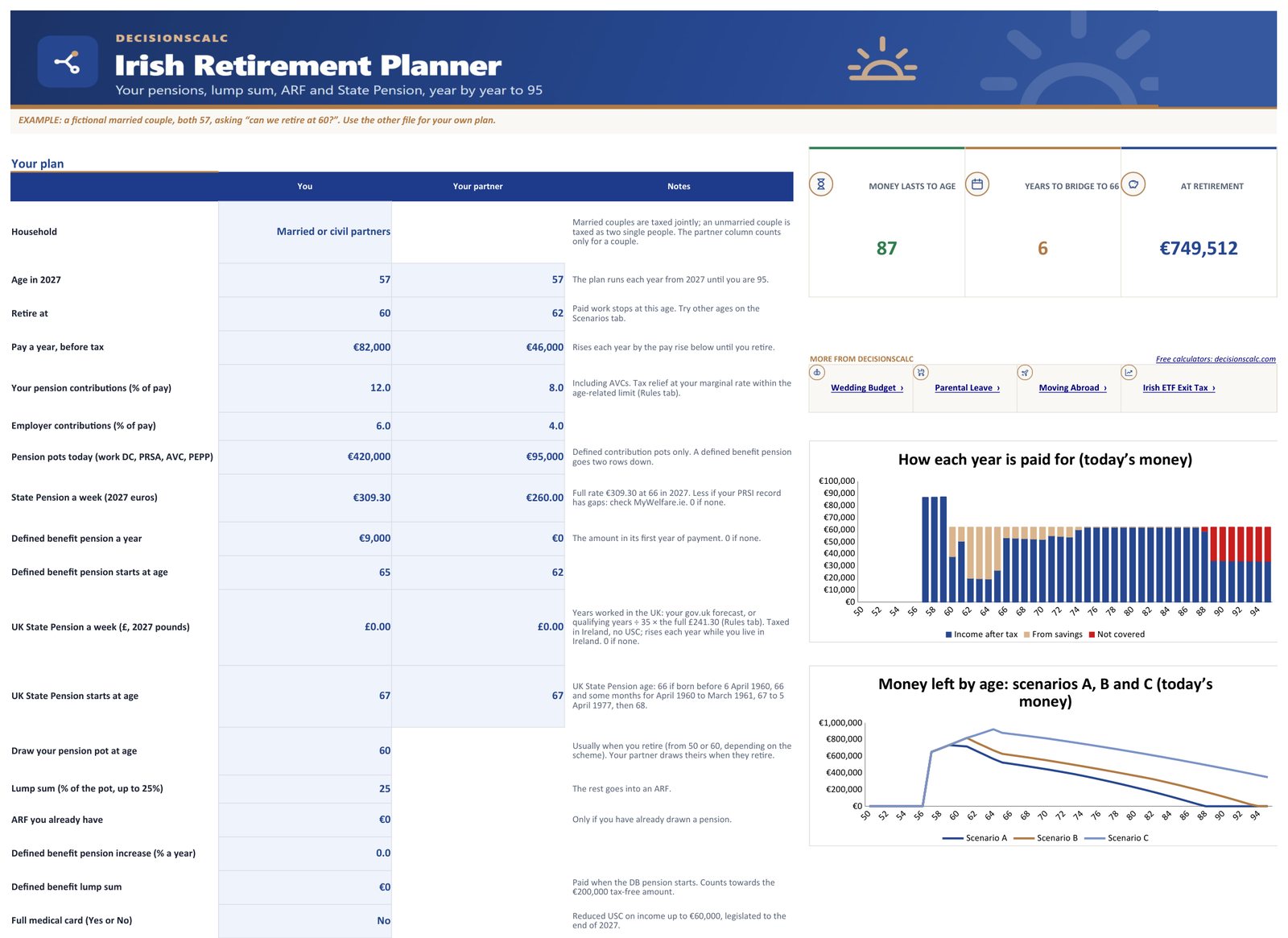
- Start here. Your details and your partner’s side by side, your assumptions, and the answers: the age your money lasts to, the years to bridge before 66, what you have when you retire, lump sum tax and the tax you pay in retirement.
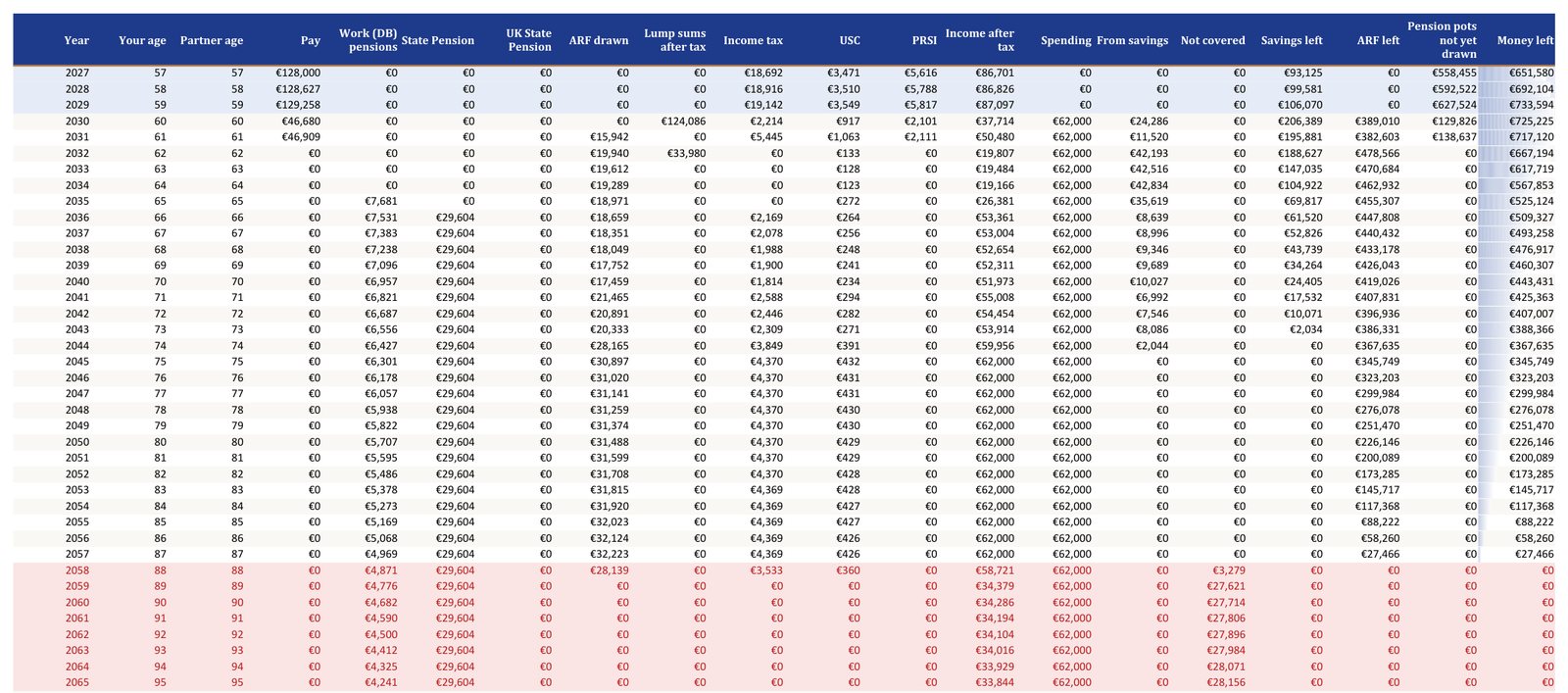
- Plan. Every year to 95: pay, work pensions, State Pension, UK State Pension for UK years, ARF drawn, lump sums, income tax, USC, PRSI, income after tax, spending, what comes from savings, anything not covered and the money left. In today’s money or future euros.
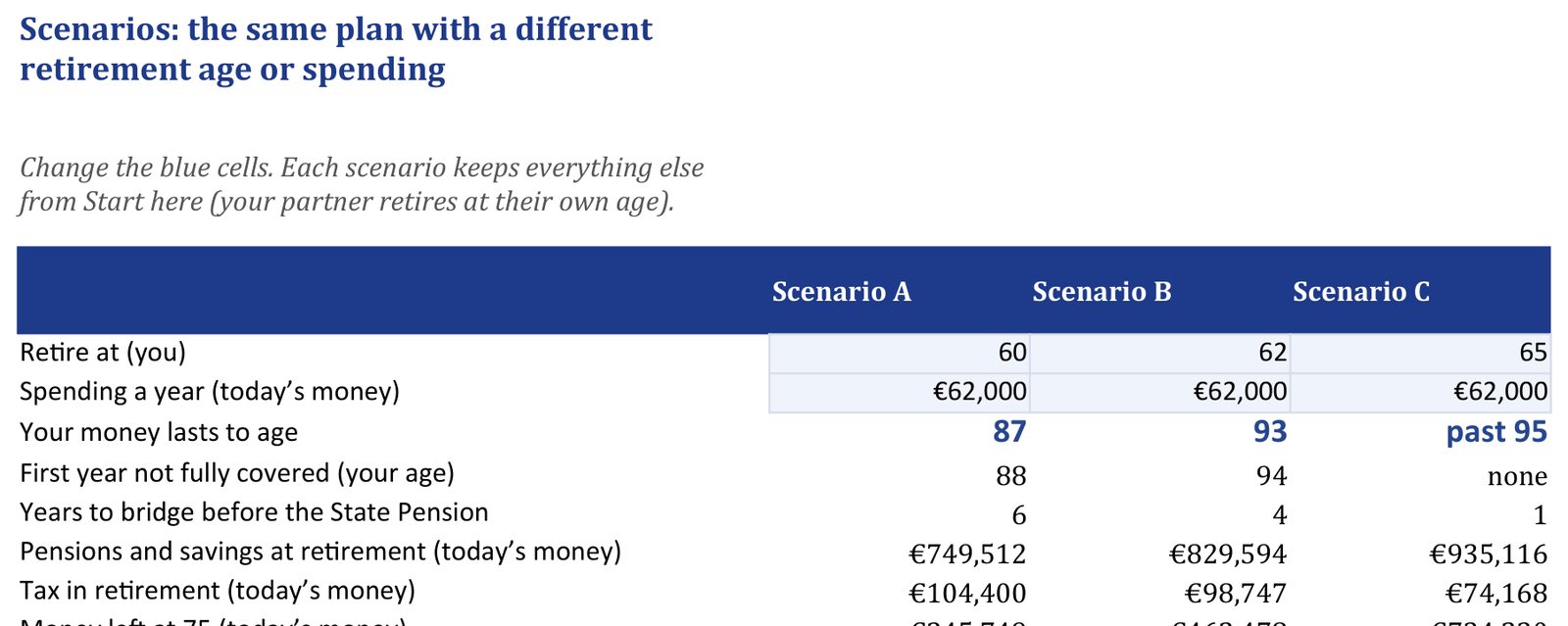
- Scenarios. Three versions of your plan side by side: retire at different ages, spend more or less, and see when the money runs out for each, with a chart of the money left.
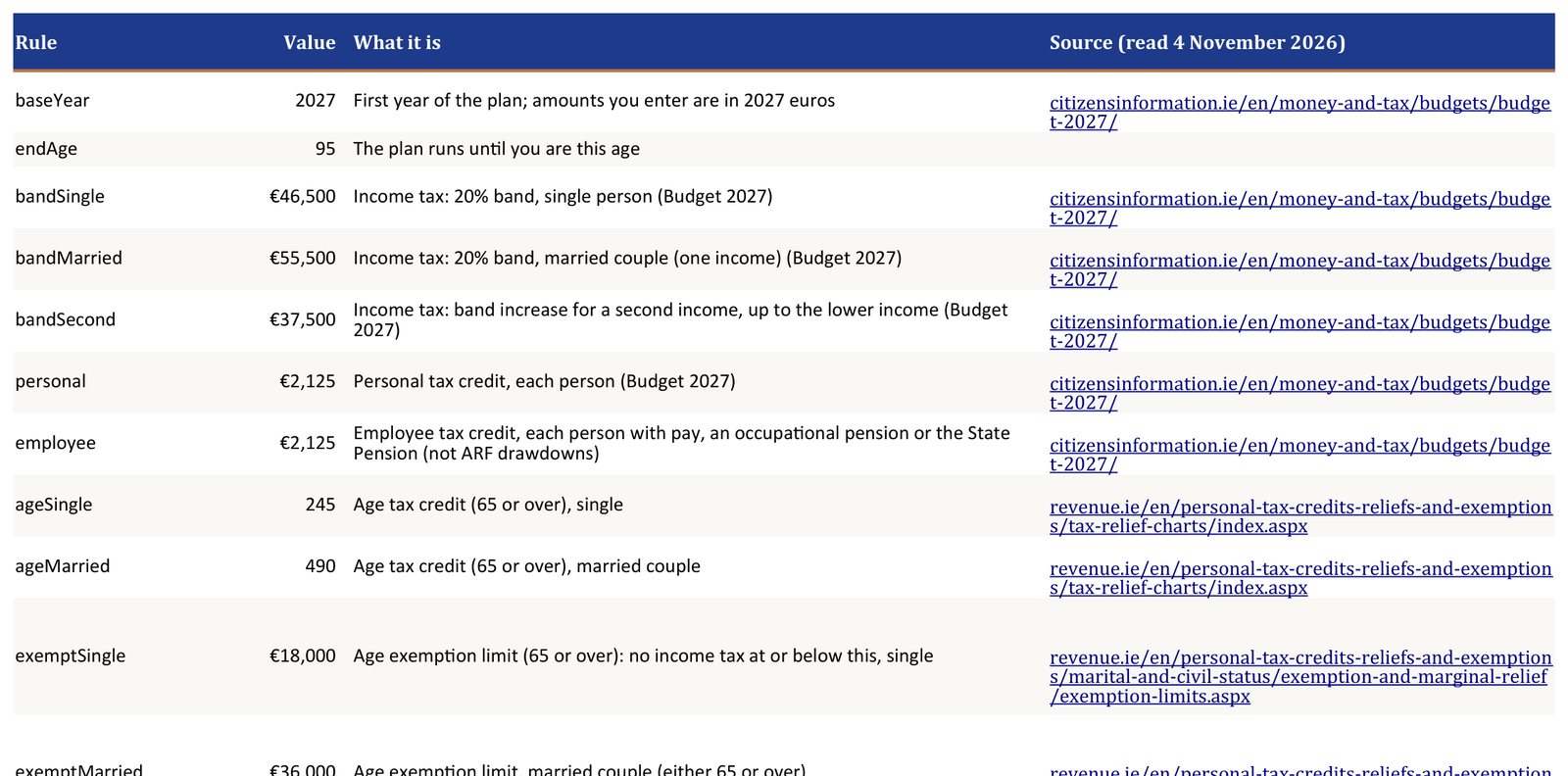
- Rules. Every rate and limit with its source (Revenue, Citizens Information, gov.ie) and the date we read it. After a Budget you change one cell, or download the updated file free.
- A worked example (a separate, filled-in file): a married couple, both 57, asking whether they can retire at 60.
The worked example
Married, both 57, spending €62,000 a year in retirement in today’s money, with pension pots of €420,000 and €95,000, a small work pension from 65 and €85,000 saved. The partner retires at 62.
| If the first of them retires at | Money lasts |
|---|---|
| 60 | to 87 |
| 62 | to 93 |
| 65 | past 95 |
| Pensions and savings at 60 (today’s money) | €749,512 |
See inside
Real pages from the worked example that comes with your purchase. Tap any page to see it full size.
Questions
- What does the planner do that the free calculator does not?
- It is yours to keep and change: both of you with your own ages, pay, pots and pensions; three scenarios side by side (retirement age and spending); every year to 95 with income tax, USC, PRSI, lump sum tax, ARF minimum and extra drawdown on separate lines; and every rule on one tab you can update after each Budget. Your figures stay on your computer.
- Does it use the same rules as the calculator?
- Yes. The spreadsheet runs the same year-by-year rules with ordinary formulas, and our tests recalculate it and check it gives the same figures as the website for several households, year by year.
- Which rules are included?
- The €200,000 tax-free lump sum and 20% band to €500,000; the ARF imputed distribution (4%, 5% at 70, 6% over €2m); the State Pension (Contributory) from 66 (€309.30 a week full rate in 2027); income tax with the age credit and the €18,000 / €36,000 age exemption with marginal relief; USC (not on the State Pension, reduced from 70); PRSI on pay only; joint assessment for married couples. Each figure is dated and linked to Revenue, Citizens Information or gov.ie.
- Does it work in Google Sheets?
- Yes. Upload the file to Google Drive and open it with Google Sheets. It also works in Excel (Windows and Mac) and LibreOffice. Standard formulas only, no macros.
- Is this financial advice?
- No. It is a planning and estimating tool built on the published rules. Growth, inflation and spending are your assumptions. For a decision about your pension, talk to a qualified financial adviser.
- What if it isn't right for me?
- Ask for a refund within 14 days and you get your money back, even after downloading. See the refund policy.
Rules read on 4 November 2026 on Revenue (lump sums), Revenue Pensions Manual ch. 28 (ARF), Citizens Information (USC), Citizens Information (State Pension) and Budget 2027; the full list is on the calculator page and in the planner. General information, not advice.
Thank you!
Payment received. We're confirming it with Paddle, which usually takes a few seconds.
Keep this page's address (bookmark it): it's your personal download link, now and for future updates. Paddle has also emailed your receipt; if you lose this link, email hello@decisionscalc.com from that address and we'll resend it.
Start on the Start here tab. Opening in Google Sheets: upload the file to Google Drive, then open it with Google Sheets. Questions: hello@decisionscalc.com.